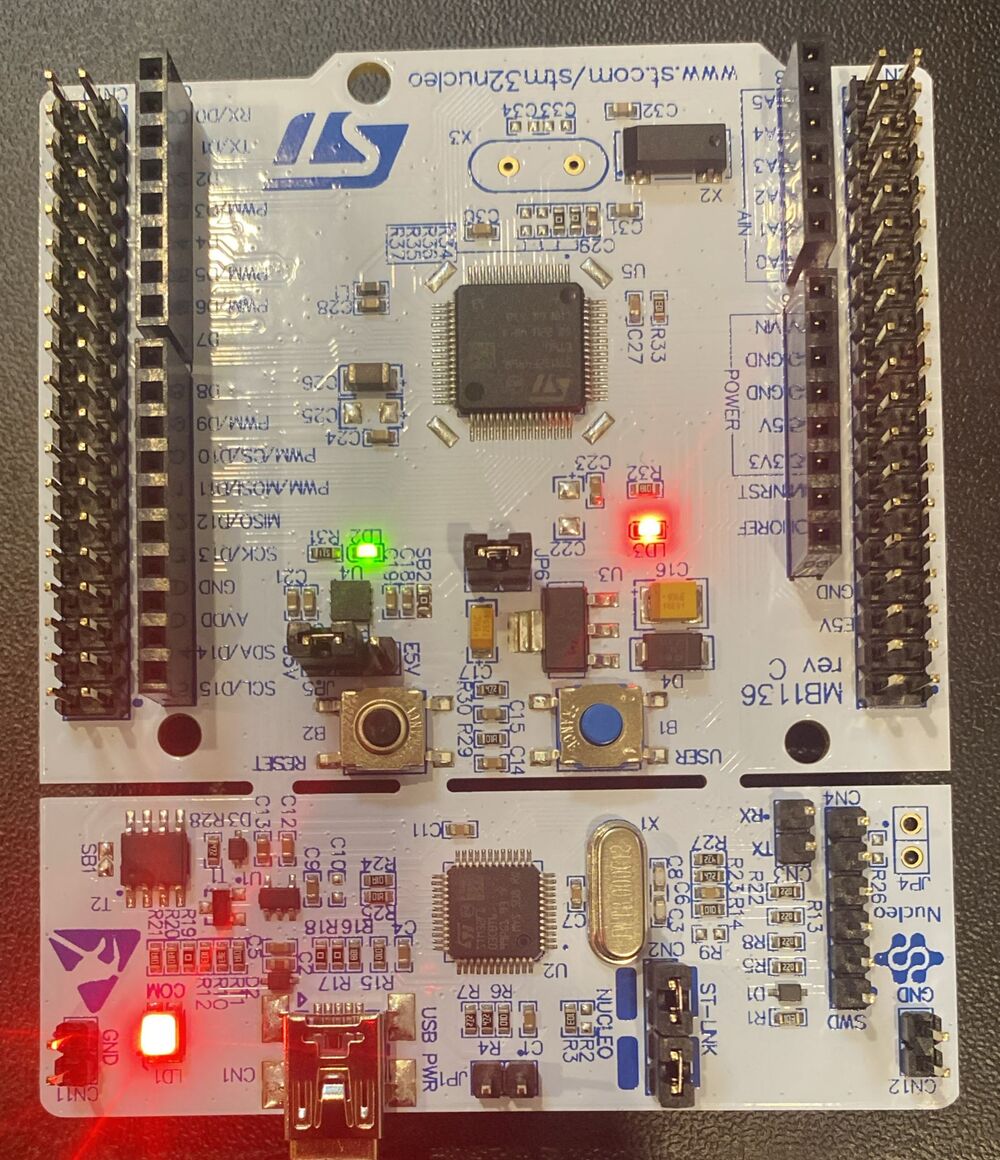
STM32 bare metal blinky: walking the GNU ARM toolchain
Chapter 3 of Israel Gbati’s Bare-Metal Embedded C Programming felt like a proper milestone. The goal shifts from “turn on the LED” (covered in the previous post) to getting it to blink, then stepping away from the IDE’s Build button entirely and running each stage of the GNU ARM toolchain by hand.
The Code
The key change from Chapter 2 is XOR-toggling the output data register inside an infinite loop, with a software delay to make the blink visible:
#define GPIOA_BASE        0x40020000
#define RCC_BASE          0x40023800
#define RCC_AHB1ENR_OFFSET 0x30
#define GPIOAEN           0x0   /* bit 0: enables GPIOA clock */
#define GPIOx_ODR_OFFSET  0x14

#define GPIOA_MODER  (* (volatile unsigned long *) (GPIOA_BASE + 0x00))
#define RCC_AHB1ENR  (* (volatile unsigned long *) (RCC_BASE + RCC_AHB1ENR_OFFSET))
#define GPIOx_ODR    (* (volatile unsigned long *) (GPIOA_BASE + GPIOx_ODR_OFFSET))

int main(void)
{
    RCC_AHB1ENR |= (1 << GPIOAEN);   /* enable GPIOA clock */

    GPIOA_MODER &= ~(0x3 << 10);     /* clear MODER5 */
    GPIOA_MODER |=  (0x1 << 10);     /* set MODER5 to output */

    for (;;) {
        GPIOx_ODR ^= (1 << 5);       /* toggle PA5 */
        volatile int i;
        for (i = 0; i < 500000; i++) {
            __asm__ volatile ("nop"); /* busy-wait delay */
        }
    }
}
The previous version set bit 5 of ODR once and looped forever doing nothing. This version XOR-toggles it each iteration and burns cycles with nop instructions to make the blink human-visible.
Walking the Toolchain
Rather than hitting Build, I ran each stage manually to understand what the IDE is actually doing.
1. Assemble the startup file
The startup assembly handles the vector table and sets up the initial stack pointer before main runs:
arm-none-eabi-gcc -mcpu=cortex-m4 -g3 -DDEBUG -c -x assembler-with-cpp -MMD -MP -MF"Startup/startup_stm32f446retx.d" -MT"Startup/startup_stm32f446retx.o" --specs=nano.specs -mfpu=fpv4-sp-d16 -mfloat-abi=hard -mthumb -o "Startup/startup_stm32f446retx.o" "../Startup/startup_stm32f446retx.s"2. Compile the C sources
Each .c file gets compiled to a .o separately. The flags target the Cortex-M4 specifically: mthumb for the Thumb-2 instruction set, mfpu=fpv4-sp-d16 for the single-precision FPU, mfloat-abi=hard to pass floats in FPU registers rather than integer registers:
arm-none-eabi-gcc "../Src/main.c" -mcpu=cortex-m4 -std=gnu11 -g3 -DDEBUG -DSTM32 -DSTM32F4 -DSTM32F446RETx -DNUCLEO_F446RE -c -I../Inc -O0 -ffunction-sections -fdata-sections -Wall -fstack-usage -MMD -MP -MF"Src/main.d" -MT"Src/main.o" --specs=nano.specs -mfpu=fpv4-sp-d16 -mfloat-abi=hard -mthumb -o "Src/main.o"I hit one snag: the flags copied from the IDE included -fcyclomatic-complexity, which this build of arm-none-eabi-gcc doesn’t recognise. Dropped it and moved on. A good reminder that compiler feature availability varies by distribution.
syscalls.c and sysmem.c go through the same step. Those are newlib’s system call stubs, the minimal glue that satisfies the C runtime’s expectations when there’s no OS underneath.
3. Link
The linker consumes all the .o files and a linker script that defines where in the STM32’s memory each section lives:
arm-none-eabi-gcc -o "test1.elf" @"objects.list" -mcpu=cortex-m4 -T"/home/magd/STM32CubeIDE/workspace_2.1.1/test1/STM32F446RETX_FLASH.ld" --specs=nosys.specs -Wl,-Map="test1.map" -Wl,--gc-sections -static --specs=nano.specs -mfpu=fpv4-sp-d16 -mfloat-abi=hard -mthumb -Wl,--start-group -lc -lm -Wl,--end-group4. Inspect
Before flashing, it’s worth checking what actually ended up in the binary:
arm-none-eabi-size test1.elf
#    text    data     bss     dec     hex filename
#     800       0    1568    2368     940 test1.elf

arm-none-eabi-objdump -h -S test1.elf > test1.list
800 bytes of .text, nothing in .data, 1568 bytes of .bss. That .bss is mostly the stack region defined by the startup file. There’s no actual initialised global data.
Flashing and Debugging
With the ELF ready, I used OpenOCD to bridge GDB to the ST-Link on the Nucleo.
Terminal 1: OpenOCD debug server:
openocd -f board/st_nucleo_f4.cfg
# Info : [stm32f4x.cpu] Cortex-M4 r0p1 processor detected
# Info : [stm32f4x.cpu] target has 6 breakpoints, 4 watchpoints
# Info : Listening on port 3333 for gdb connections
Terminal 2: GDB client:
arm-none-eabi-gdb
(gdb) target remote localhost:3333
(gdb) monitor reset init          # halt the chip
(gdb) monitor flash write_image erase test1.elf
# wrote 16384 bytes from file test1.elf in 0.487194s (32.841 KiB/s)
(gdb) monitor reset init          # halt again after flash
(gdb) monitor resume              # let it run
Seeing the LED actually blink after typing all of that was more satisfying than hitting a debug button. You know exactly which command did what: reset init halts the core, flash write_image erase burns the ELF to flash, the second reset init re-halts it, and resume releases it to run.
What Stuck
A few things clicked that I hadn’t thought about before:
- Those generated
.dfiles are dependency tracking. They tell Make which headers each.cdepends on, so a header change triggers a recompile of the right files. -ffunction-sectionsand-fdata-sectionsput each function and variable in its own linker section, so--gc-sectionscan strip out anything that nothing calls. Without it the linker keeps everything regardless of use.- The linker script is essentially a memory map: it tells the linker where flash starts, where RAM starts, how large each region is, and which sections go where. The startup code uses those symbols to know where to copy
.datafrom flash to RAM beforemainruns.
Chapter 4 is about linker scripts and startup files in depth, the startup assembly that runs before main, and why those memory region definitions are laid out the way they are. Later chapters cover automating the build with a Makefile and rewriting hardware definitions using the CMSIS standard.