Building an Analytics Dashboard with SvelteKit and Cloudflare D1
The Problem
I needed a lightweight, self-hosted analytics solution for my web projects and I wanted to host it on Cloudflare Workers. I’m using existing options like Sentry for errors but I wanted a lightweight second dashboard for tracking usage metrics.
The Approach
I built a custom analytics dashboard using:
- SvelteKit for the frontend and API routes
- Cloudflare D1 as the database (SQLite at the edge)
- Drizzle ORM for schema management and type-safe queries
- uPlot for the time-series chart (lightweight, fast rendering)
- Cloudflare’s built-in geo and request metadata for enrichment
- Custom user-agent parsing for browser, OS, and device detection
The system consists of two parts: a client-side beacon that fires on page load, and a dashboard that aggregates and visualizes the collected data.
The Beacon Code
const SESSION_TIMEOUT_MS = 30 * 60 * 1000; // 30 minutes

/**
 * Returns a persistent visitor UUID from localStorage, creating one if needed.
 * Identifies a unique browser across sessions.
 */
function getOrCreateVisitorId(): string {
    const existing = localStorage.getItem('_vid');
    if (existing) return existing;
    const id = crypto.randomUUID();
    localStorage.setItem('_vid', id);
    return id;
}

/**
 * Returns a session UUID from sessionStorage, creating a new one if missing
 * or if the last activity was more than 30 minutes ago.
 */
function getOrCreateSessionId(): string {
    const existingId = sessionStorage.getItem('_sid');
    const lastTs = sessionStorage.getItem('_ts');

    if (existingId && lastTs) {
        const elapsed = Date.now() - Number(lastTs);
        if (elapsed < SESSION_TIMEOUT_MS) {
            sessionStorage.setItem('_ts', String(Date.now()));
            return existingId;
        }
    }

    const id = crypto.randomUUID();
    sessionStorage.setItem('_sid', id);
    sessionStorage.setItem('_ts', String(Date.now()));
    return id;
}

/**
 * Creates a pageview tracker bound to the given beacon URL.
 *
 * @param url The analytics endpoint URL. When empty, `track()` is a no-op.
 * @returns An object with a `track(path)` method.
 */
export function createTracker(url: string, project: string) {
    return {
        track(path: string): void {
            if (!url) return;
            if (navigator.webdriver === true) return;
            if (window.isSecureContext === false) return;

            const payload: BeaconPayload = {
                project,
                path,
                referrer: document.referrer || null,
                sessionId: getOrCreateSessionId(),
                visitorId: getOrCreateVisitorId(),
                screen: { width: screen.width, height: screen.height },
                language: navigator.language,
                timezone: Intl.DateTimeFormat().resolvedOptions().timeZone,
                ts: Date.now()
            };
            fetch(url, {
                method: 'POST',
                headers: { 'Content-Type': 'application/json' },
                body: JSON.stringify(payload),
                keepalive: true
            }).catch(() => { });
        }
    };
}
What Happened
Dashboard Foundation
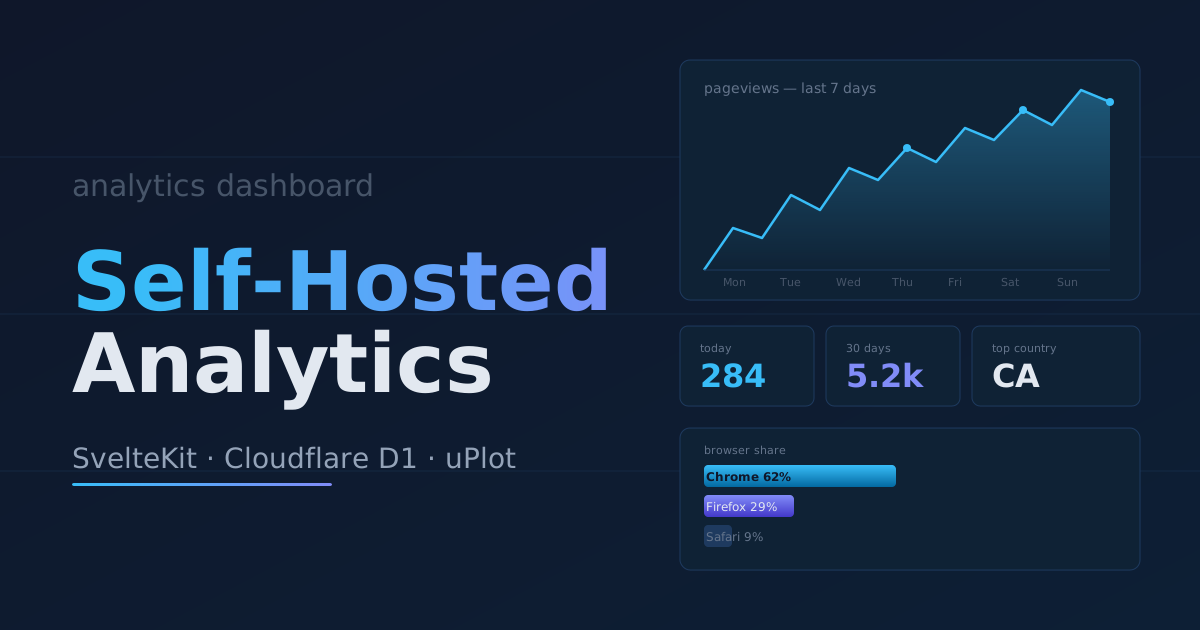
Started by replacing the SvelteKit default boilerplate with a purpose-built analytics dashboard. The initial version included uPlot for a 7-day pageview trend chart, plus summary stats showing today’s views, 30-day totals, unique visitors, and session counts. Added tables for top pages, countries, and referrers.
Data Model
Defined the Drizzle schema for the pageviews table:
export const pageviews = sqliteTable('pageviews', {
  id: integer('id').primaryKey({ autoIncrement: true }),
  project: text('project').notNull(),
  path: text('path').notNull(),
  referrer: text('referrer'),
  sessionId: text('session_id').notNull(),
  visitorId: text('visitor_id').notNull(),
  // Cloudflare-provided fields
  colo: text('colo'), //cloudflare's datacenter location
  asOrg: text('as_org'),
  protocol: text('protocol'),
  tlsVersion: text('tls_version'),
  // Parsed UA fields
  browser: text('browser'),
  browserVersion: text('browser_version'),
  os: text('os'),
  osVersion: text('os_version'),
  deviceType: text('device_type'),
  country: text('country'),
  createdAt: integer('created_at', { mode: 'timestamp' })
    .notNull()
    .$defaultFn(() => new Date()),
});
Project Filtering
Added a project column to all queries. The dashboard now includes a project selector in the UI, with all queries filtering by the selected project. The project is determined via a ?project= URL parameter, defaulting to the first available project when none is specified.
Cloudflare Geo and UA Enrichment
On the server side, Cloudflare provides the following fields from the request context:
colo: The Cloudflare datacenter locationasOrg: Autonomous System organization namehttp.protocol: HTTP version usedtls.version: TLS version (TLS 1.2, 1.3, etc.)
Real-time Updates
Implemented auto-refresh using SvelteKit’s invalidateAll to poll for new data every 10 seconds. This keeps the stats and chart current without requiring a manual page reload.
Takeaway
Building analytics infrastructure on Cloudflare’s edge platform provides an interesting trade-off: you get global distribution, generous free tiers, and built-in metadata, but you’re working within Cloudflare’s specific constraints (D1’s SQLite model, Workers limits, etc.). The combination of Drizzle + D1 handles schema management and type-safe queries well, and uPlot’s performance makes real-time chart updates practical even with frequent polling.
The most valuable addition was the Cloudflare geo and UA enrichment—capturing colo, ISP, and device data at the edge means richer analytics without additional client-side overhead.
I’m very happy with how the overall system turned out. Now all I need to do is drop the beacon TypeScript file into any new web project, do some minimal setup to track navigations, and add the dashboard’s URL to my env vars. That gives me anonymized usage metrics tracked on my dashboard.